
Making responsible waste management easy for everyone, one waste disposal at a time.
How does the App work?
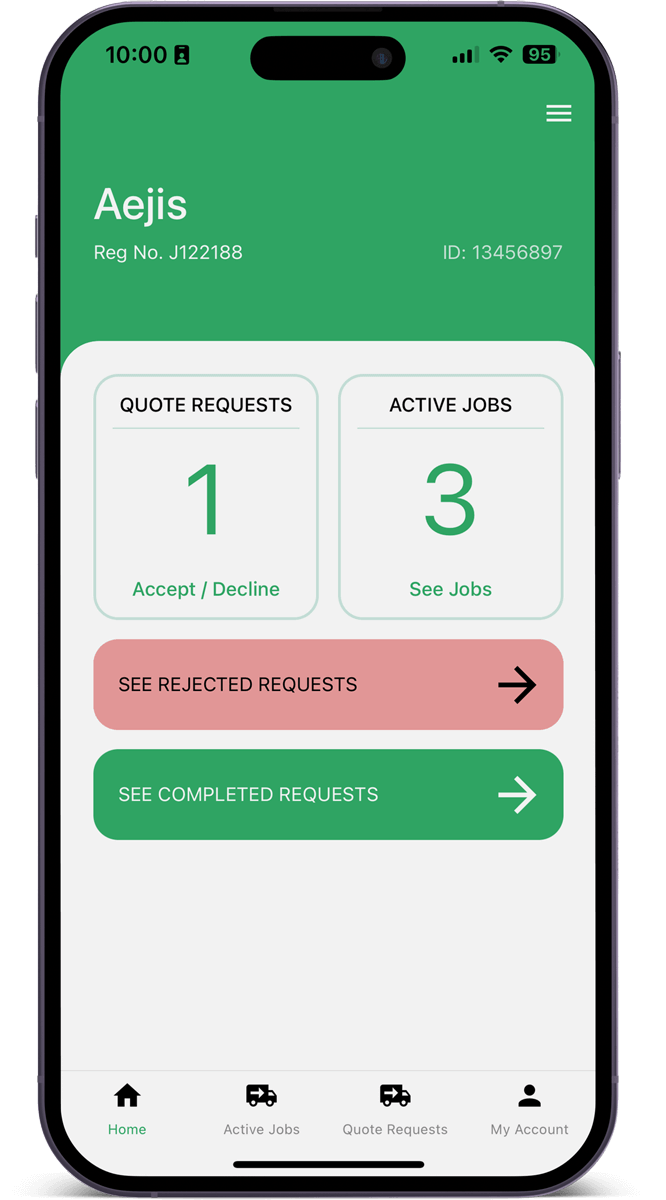
Recieve quote requests
After you’ve set up a wastetracka account your company will appear in the ‘request a quote’ section for householders. You will receive notifications that quotes have been requested.
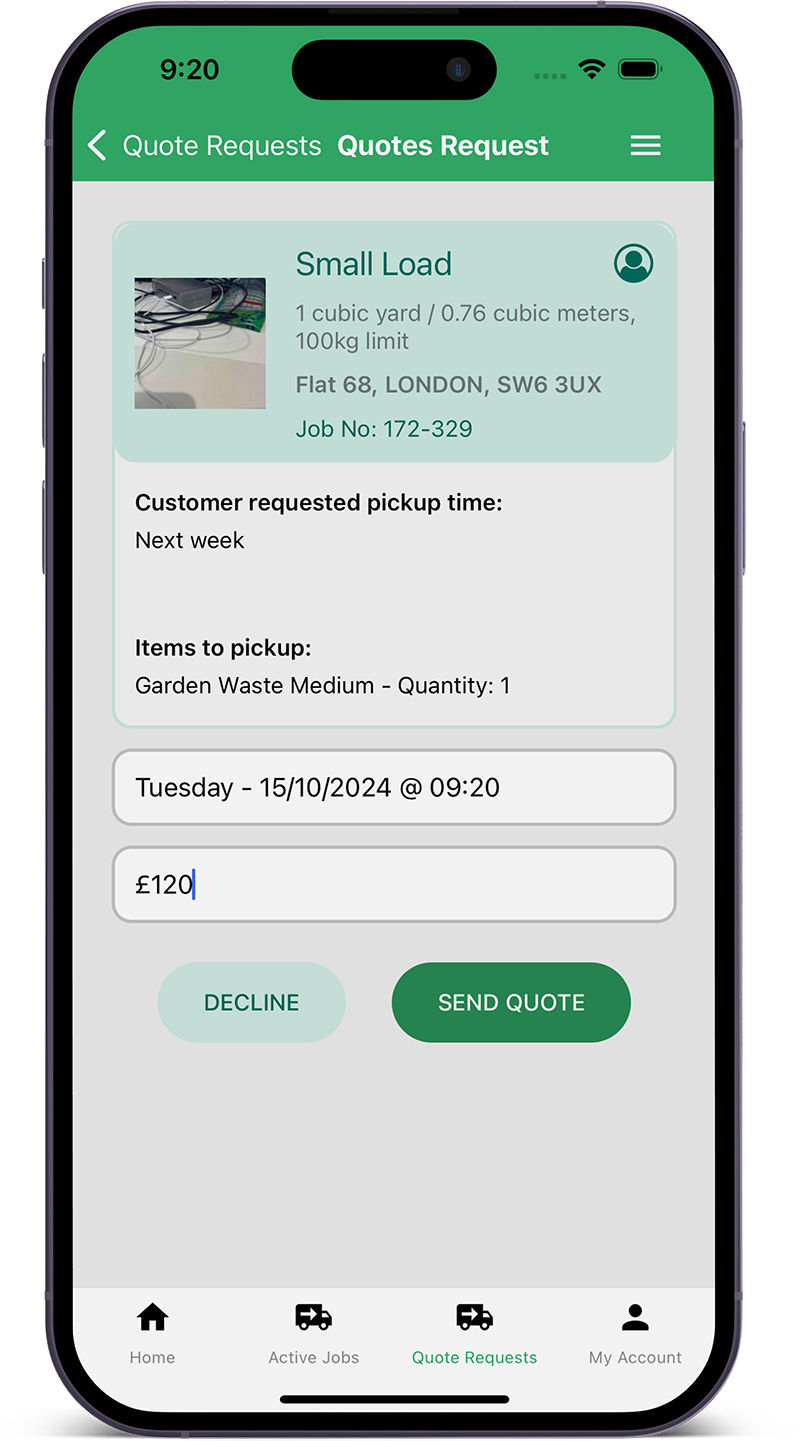
Send a quote
Each quote request will detail what needs to be picked up, the address and any scheduling requests, there will be a photo of the waste to be collected to help you calculate your quote. Enter a pick up date & time together with your quote and send. The customer will be notified that they have a pending quote to accept. You also have the option to decline a job request.
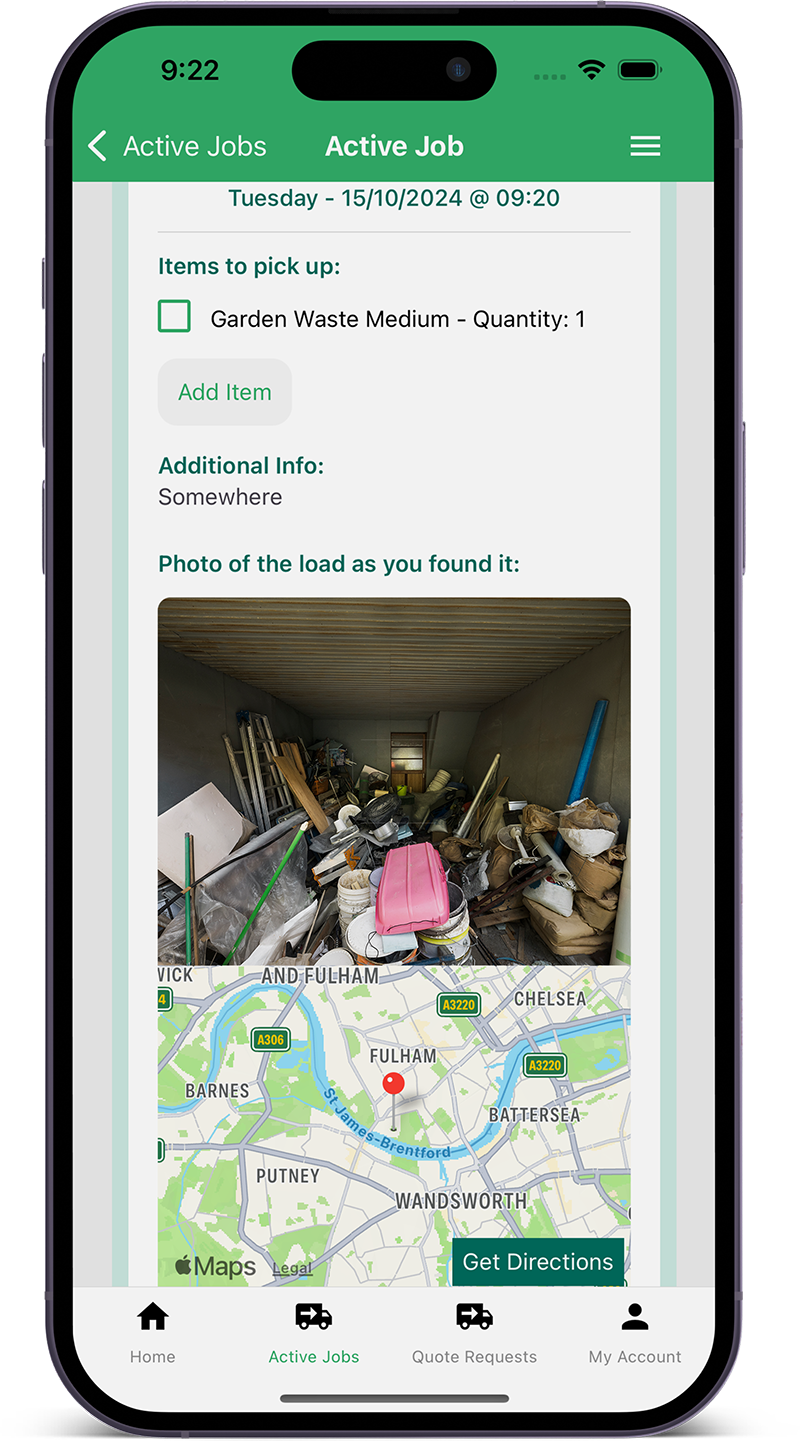
Pick up and dispose
Once your quote is accepted and scheduled for pick up, follow the instructions in the app to make sure that you’re picking up what was requested and upload a photo. Follow the prompts to send a notification that the waste has been collected. Once the waste has been disposed of at the waste or recycling centre, follow the in-app prompts and send a notification to the client to notify them that their waste has been disposed of.